A Focused Stoplight Alternative for Visual OpenAPI Design
Stoplight is a broad API design platform. Restly is an alternative for teams that want a more focused workflow: form-based OpenAPI design with a synchronized YAML or JSON view, Spectral-compatible linting, branches, semantic diffs, and generated documentation portals. New Restly features ship steadily; the product updates page shows the release history.
Comparison reviewed July 21, 2026 against Stoplight's official API design page.
- Import in minutes – paste your existing spec into Spec View and it's parsed into the form editor.
- Keep your Spectral rulesets – Restly's linting is compatible with Spectral-format rulesets.
Free plan — no credit card required.
What to Look For in a Stoplight Studio Alternative
Most pages ranking for this search recommend API gateways and management platforms. Those are fine products, but they don't replace the thing you opened every day: a fast visual OpenAPI editor. Score any replacement on the workflow you're actually losing:
- Visual editing with an escape hatch. Forms for the 90% case — paths, operations, schemas, parameters, security — plus raw YAML or JSON for the rest, with both views always in sync.
- Spectral linting. Your rulesets encode real API-governance decisions. A replacement that can't run them is a downgrade, not an alternative.
- Versioning. Draft, production, and deprecated variants of a spec without juggling copies of a file.
- Team workspaces with roles. Platform, backend, and reviewer responsibilities stay separate.
- Evidence of active development. Review dated release notes and verify that the features important to your team are shipping.
If a tool on your shortlist is really a gateway, a docs platform, or an enterprise governance suite, it fails this checklist before you open it.
How Restly Covers the Studio Workflow
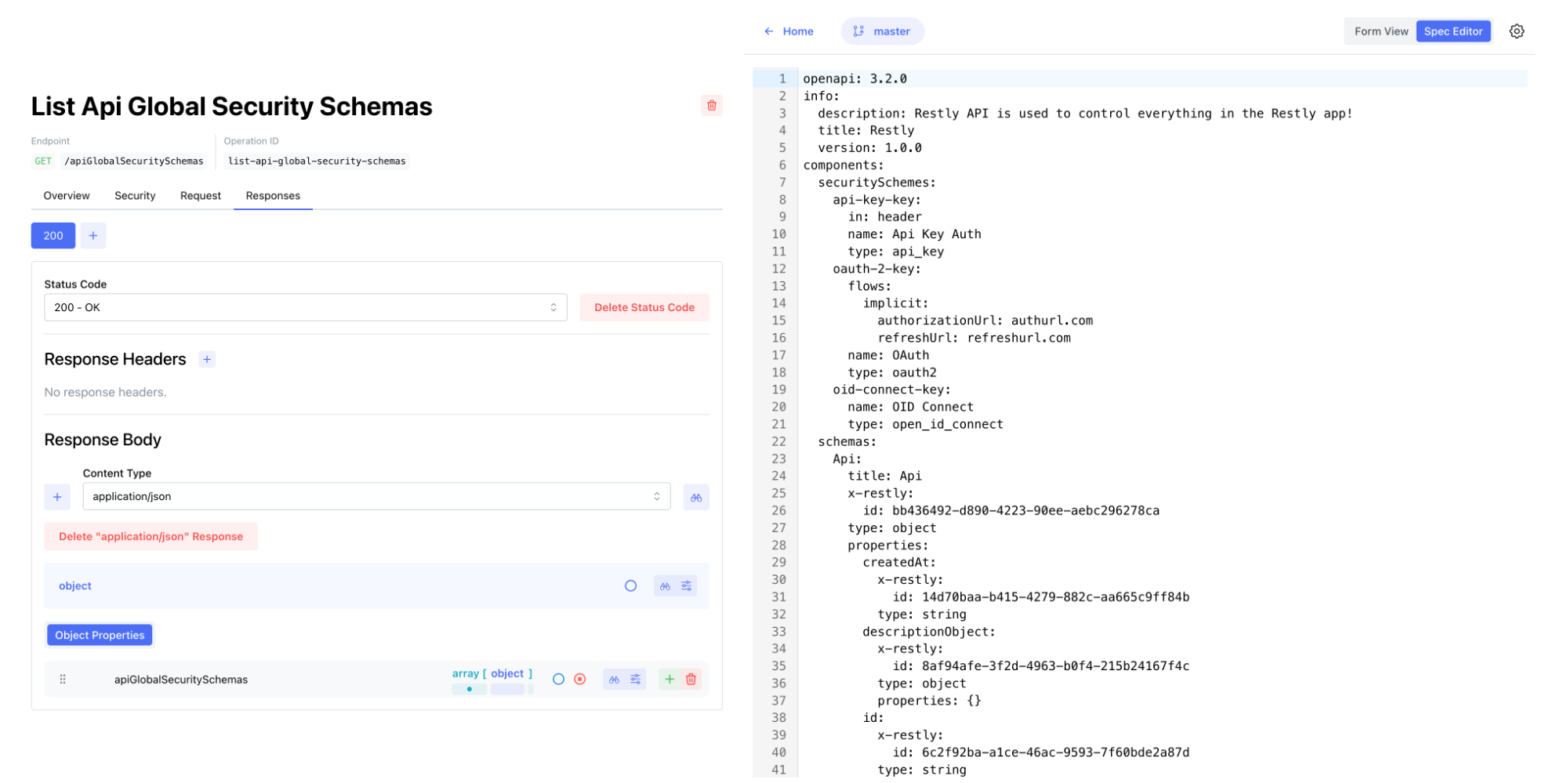
A form editor with a synced Spec View
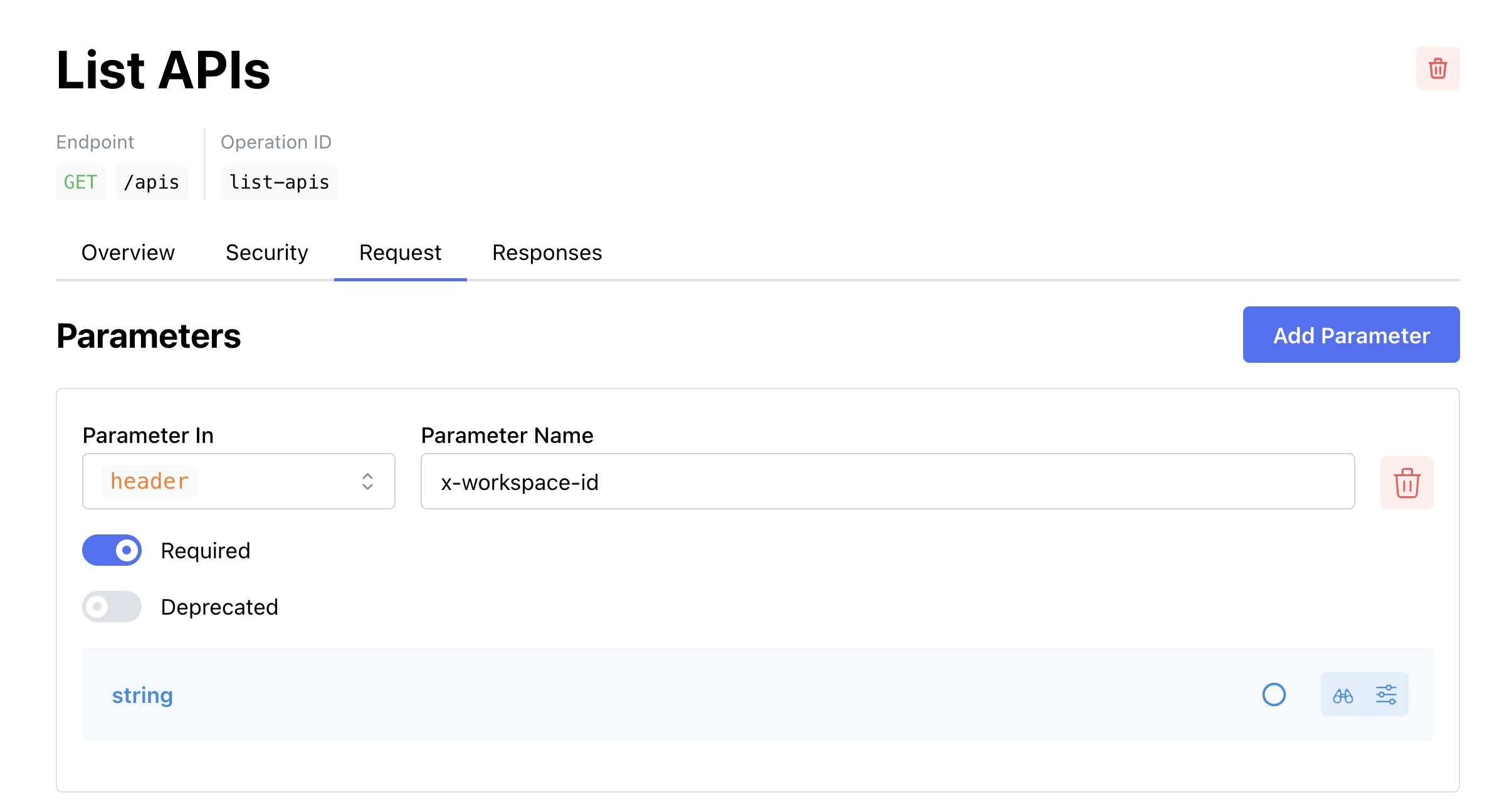
Edit paths, operations, request and response bodies, headers, query parameters, security schemes, servers, and tags through forms — no hand-written YAML. Flip to Spec View to read or edit the raw file as YAML or JSON; both views stay in sync in real time. Schema composition with anyOf, oneOf, and allOf, plus reusable component schemas, parameters, and responses, means you stop wiring $ref strings by hand.
Spectral-compatible linting, in your browser
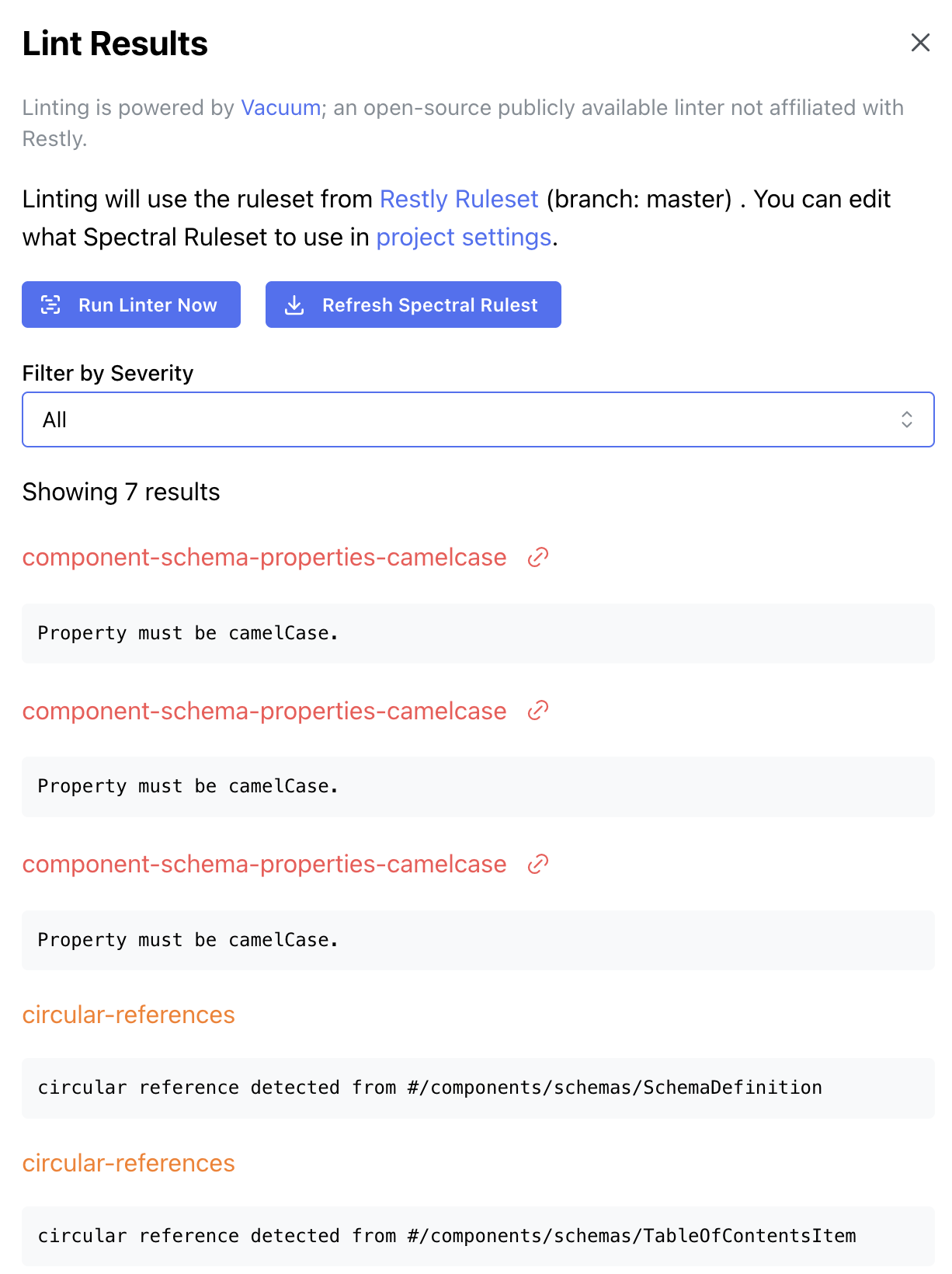
Restly lints as you edit, powered by Vacuum — a fast OpenAPI linter compatible with Spectral-format rulesets, compiled to WebAssembly so there's no server round-trip. Use Vacuum's recommended ruleset, or write a custom ruleset in Restly and attach it to a project. Results filter by severity and jump straight to the offending item. New to rulesets? Start with our guide to OpenAPI linting.
Branches for draft, production, and deprecated versions
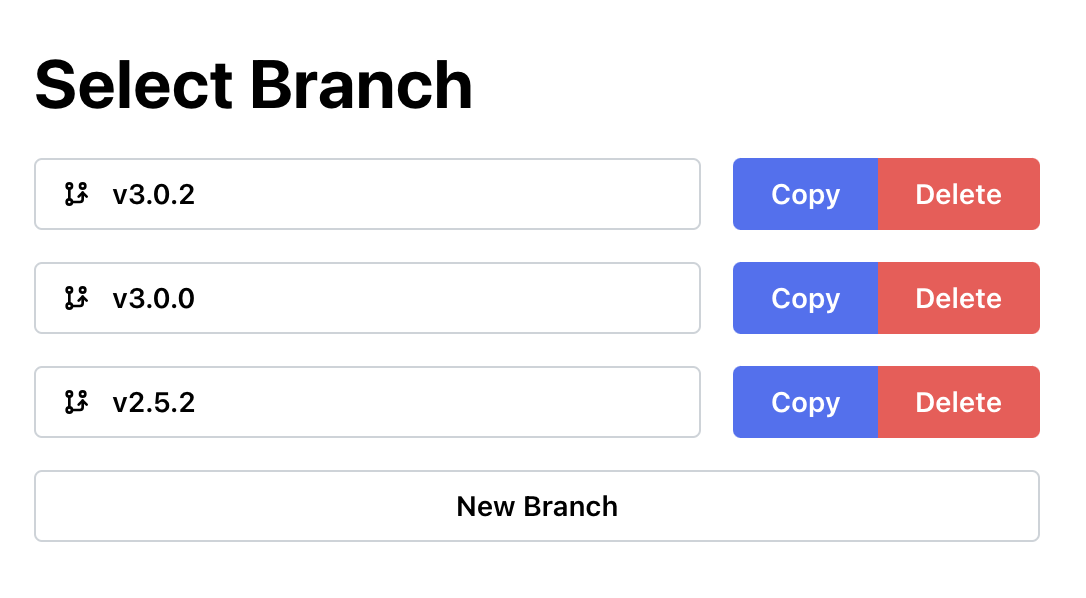
Keep a production spec stable while you iterate on a draft or park deprecated versions — all inside one project. Copy a branch to experiment, switch freely (Restly guards unsaved changes), and delete what you're done with. To be clear: there's no merge or pull-request flow yet — branches are independent copies.
Semantic diffs before every save
Before you save, Restly compares your unsaved edits against the last saved branch state and shows what actually changed — new or removed status codes, component schema changes, operationId updates — not line noise. The same engine powers our free OpenAPI diff tool, which works without an account.

Team workspaces with roles and invites
Workspaces give your team a shared home for API projects, with four roles — owner, admin, editor, and viewer — and email invites. Attach a ruleset to a project and everyone lints against the same rules as they type, not in a CI job they discover after the fact.
Where Restly Fits Among the Other Options
Alternatives lists tend to mix tools from three different categories. They solve different problems, so it's worth being clear about which one you're actually shopping for.
Text-first spec editors
Free editors like Swagger Editor give you a raw YAML pane with a rendered preview. They work well if you enjoy hand-writing specs — but you give up form-based editing, custom rulesets, and branch management, the parts of Studio that made large specs manageable.
All-in-one API platforms
Platforms that bundle design with testing, mocking, and an API client can replace Studio — along with several other tools. If you want a focused design-first editor that produces a clean spec your existing toolchain consumes, they bring more surface area than the job needs.
API management platforms
Gateways and management suites operate running APIs — traffic, policies, runtime portals. They don't replace a spec editor, and they aren't what a displaced Studio user needs.
What Restly deliberately doesn't do
Restly has no mock servers, try-it request console, SDK generation, or direct Git synchronization today. It focuses on designing, linting, versioning, diffing, and publishing documentation from OpenAPI specs, and exports a standard OpenAPI 3.2 file for the rest of your toolchain.
Migrating From Stoplight Studio in Four Steps
Your Studio project was never locked in — it's a plain OpenAPI file, probably already in Git. That makes the move short:
- Grab your spec. Studio worked on standard OpenAPI YAML or JSON — take the file straight from your repo.
- Create a free project. Sign up and create an OpenAPI project. The free plan needs no credit card.
- Paste it into Spec View. Restly parses paths, schemas, tags, examples, and contact info into the form editor. Property order is preserved, and the form-to-spec round trip is tested against large real-world production specs.
- Bring your ruleset. Recreate your Spectral ruleset in Restly's ruleset editor and attach it to the project — lint results appear in the editor as you work.
Keeping Git as your source of truth? Copy the spec out of Spec View when you commit — direct Git integration (pull from a repo, push changes back) is in active development. And if you want to confirm nothing shifted in translation, run the before-and-after files through the free OpenAPI diff tool. For the design-first workflow itself, see why design-first teams standardize on OpenAPI.
Start Free — No Credit Card
The Free plan includes 5 OpenAPI projects and up to 10 users — enough to move a real API over and put the editor through its paces. The Startup plan is $12 per user/month ($8 with annual billing) and raises that to 20 projects with no user limit. Full details are on the pricing page.
Sign Up for Free